Create a Permit from a Questionnaire
Status:  Request →
  Awaiting Validation
Use a guided questionnaire that recommends the permit type from the activities you select, then create and submit the resulting permit.
When to use
Use this task when you are not sure which permit applies and want the tool to guide the choice from a set of questions.
Before you start — check before launching the task
- You hold the Permit Requester role.
- You can describe the activities involved in the work (so the tool can recommend the permit type).
Step-by-step
The questionnaire opens as a two-step window.
- Open the create menu (the arrow next to + Permit to Work) and select Questionnaire.
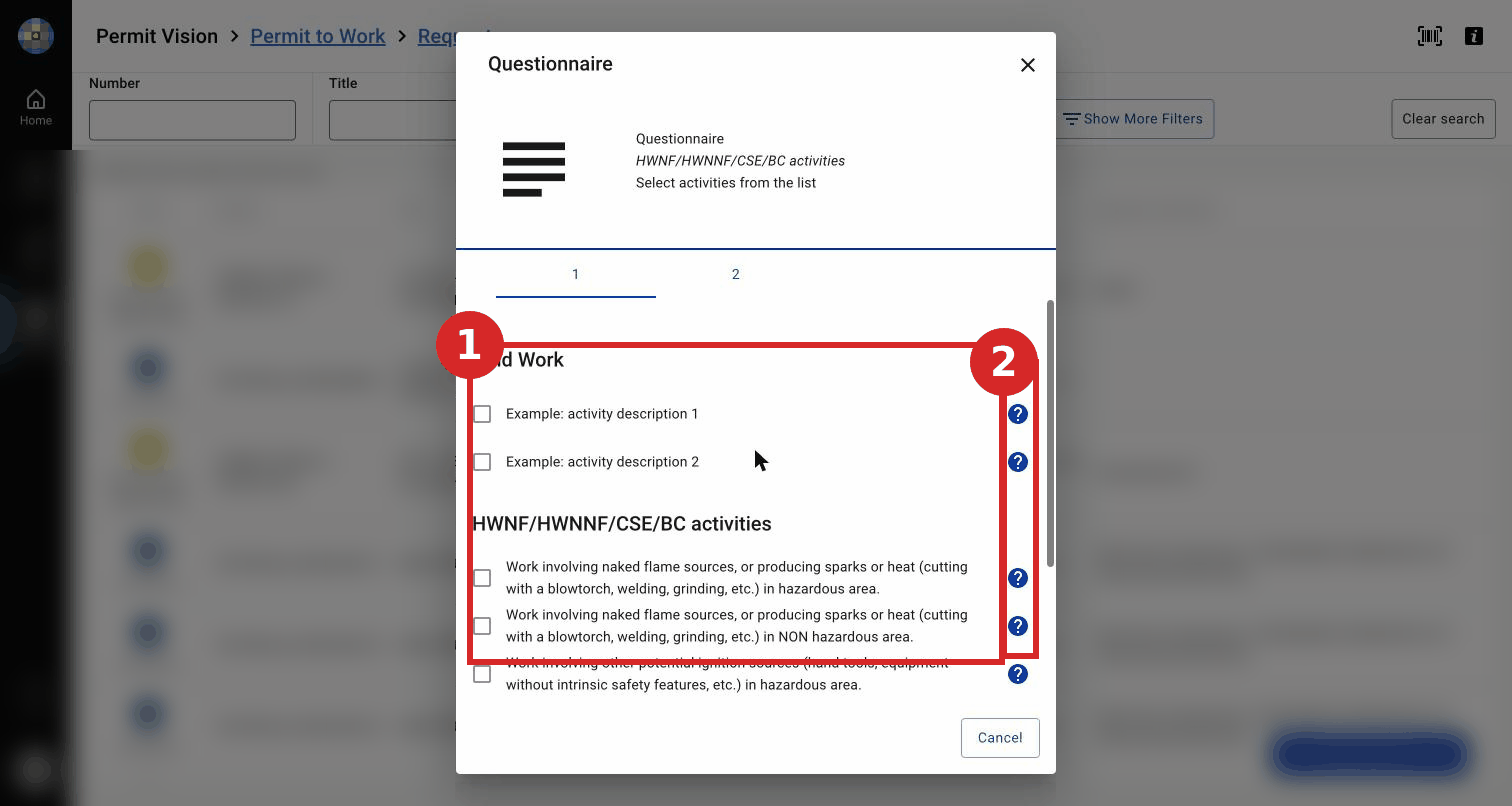
- Step 1 — Select activities. Tick the activities that match your work. Activities are grouped (Cold Work, then HWNF / HWNNF / CSE / BC activities). Each line has a ? help icon that explains the activity. Examples of activities: work involving naked flame, sparks or heat in a hazardous area; the same in a non-hazardous area; other ignition sources (hand tools, non-intrinsically-safe equipment); entry into a confined space with a hazardous atmosphere; breaking of line (any fluid, pressure, temperature). You can also use + Add new activity to enter an activity manually.
- Go to Step 2 — Questionnaire Overview. It lists your selected activities and shows the recommendation: "You are advised to create a permit with: Type: <permit type>" (for example, "naked flame in a hazardous area" gives Hot Work Naked Flame).
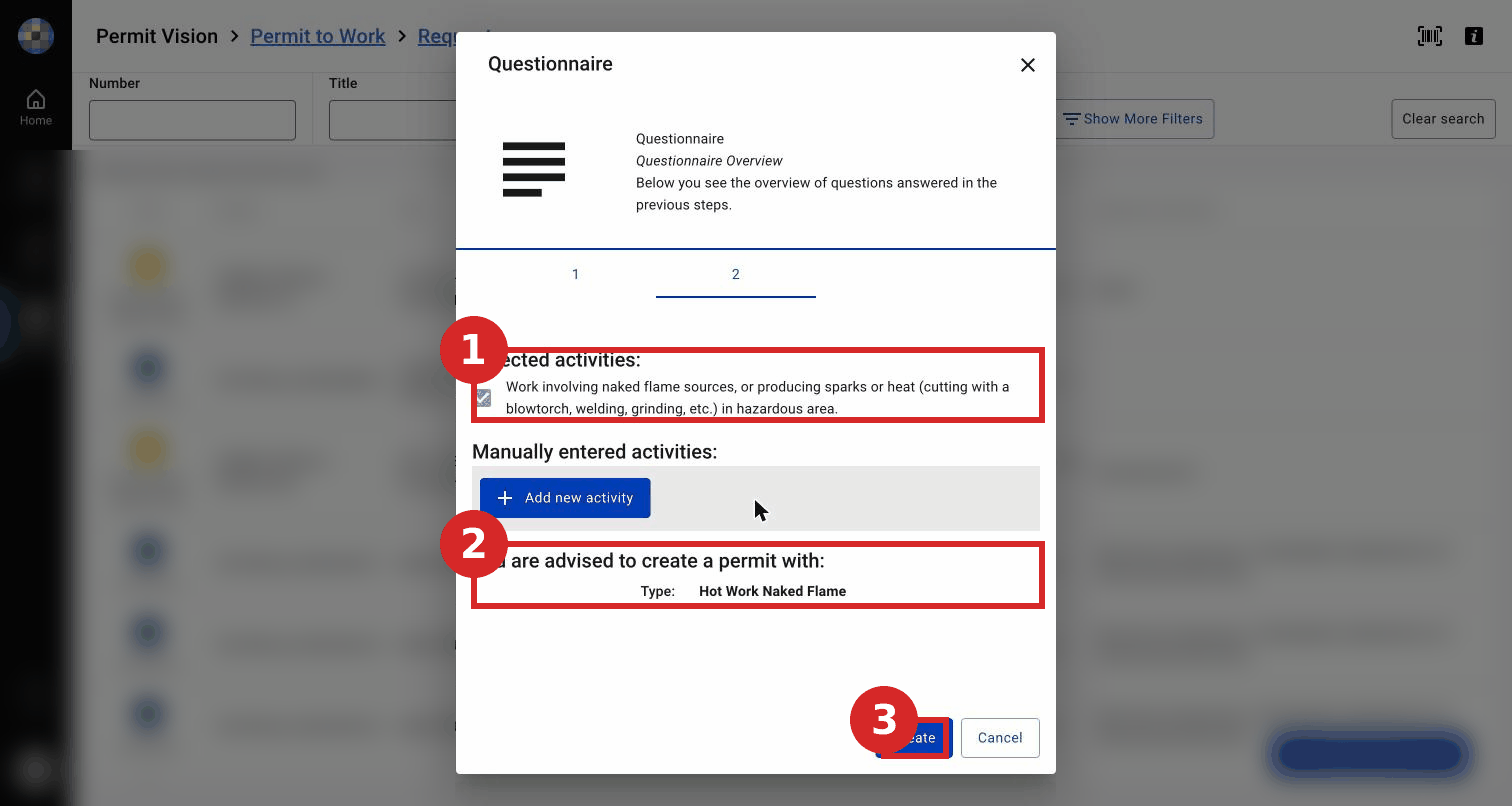
- Click Create to generate a permit of the recommended type. (If no permit is required, close the window instead.) The recommendation is a guide, not a decision — confirm the recommended type matches the real work before you click Create; you remain responsible for the permit type.
- Complete the resulting permit and its risk assessment as for a new permit (see Create a New Permit to Work), then sign the request to submit it for validation.
Expected result
A permit of the recommended type is created in Request; once you sign the request it moves to Awaiting Validation. The next task is Validate a Permit.
Key Referentiel rules
- A permit to work is based on a risk analysis — the questionnaire helps select the permit but does not replace the risk assessment. (CR-GR-HSE-402, Req 3.2.1)
- The permit type must match the nature and risk of the work (cold / hot work, etc.). (CR-GR-HSE-402, Req 3.1.7)
Tips & pitfalls
Tip — the questionnaire guides, you decide. Check that the suggested permit type matches the real work before continuing.
Common mistakes
| Mistake | Consequence |
|---|---|
| Answering the questionnaire carelessly | Wrong permit type selected; rework |