Attach a Complementary Certificate
Supporting action. Attach a required complementary certificate in Request or Awaiting Validation.
Add a required complementary certificate (e.g. Diving, Excavation, Lifting, Radiography) to the permit.
When to use
Use this task when the work requires a complementary certificate, selected in the permit's Required Certificates list.
Before you start — check before launching the task
- You hold the Permit Requester role (or PCA).
- The required certificate has been identified for this work.
Step-by-step
- On the permit, select Attach Complementary Certificate.
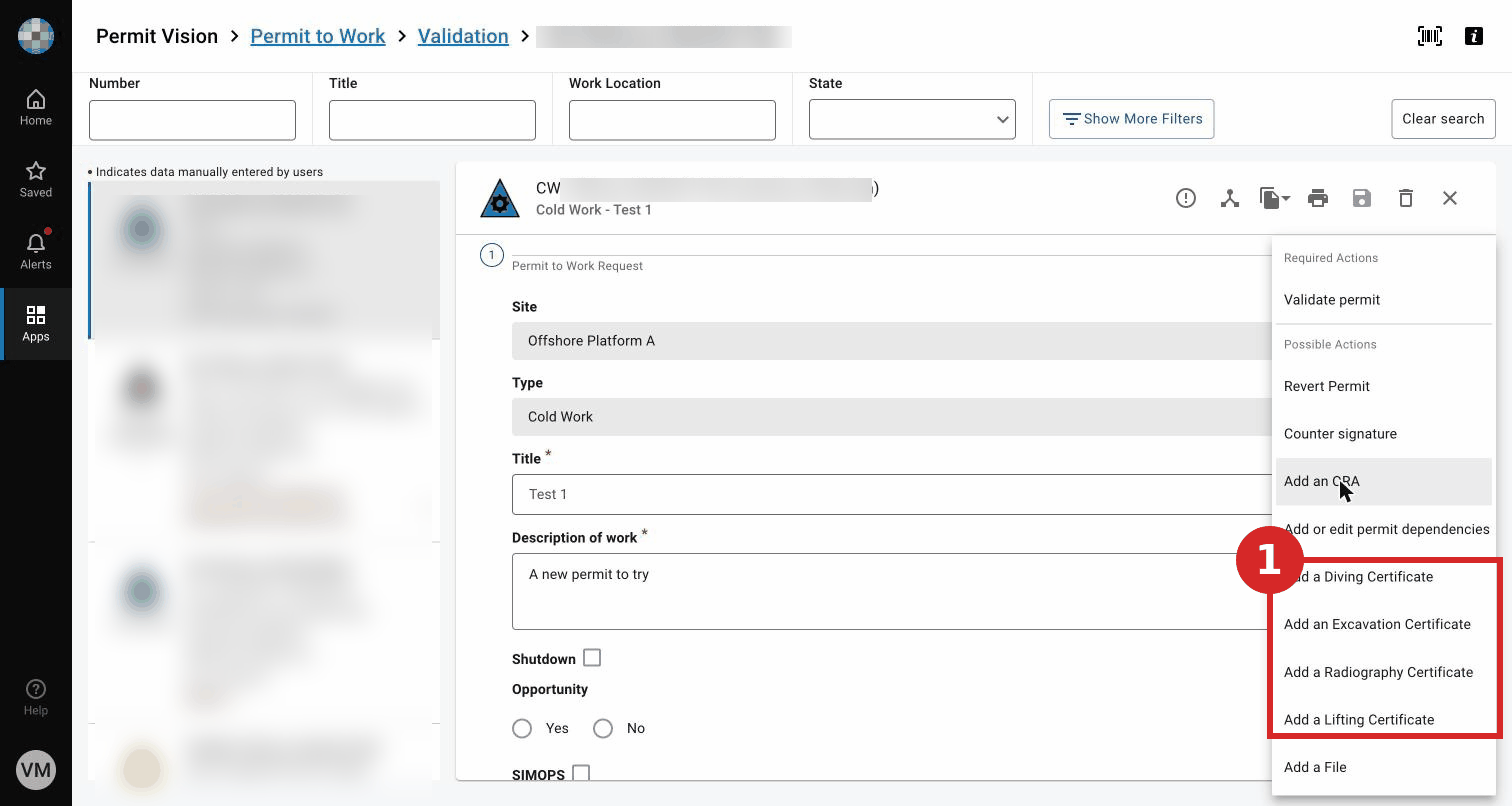
- Choose the certificate type required for the work (Diving, Excavation, Lifting, Radiography…). Certificates ticked in the permit's Required Certificates must be attached in an accepted state for the permit to progress at the relevant step.
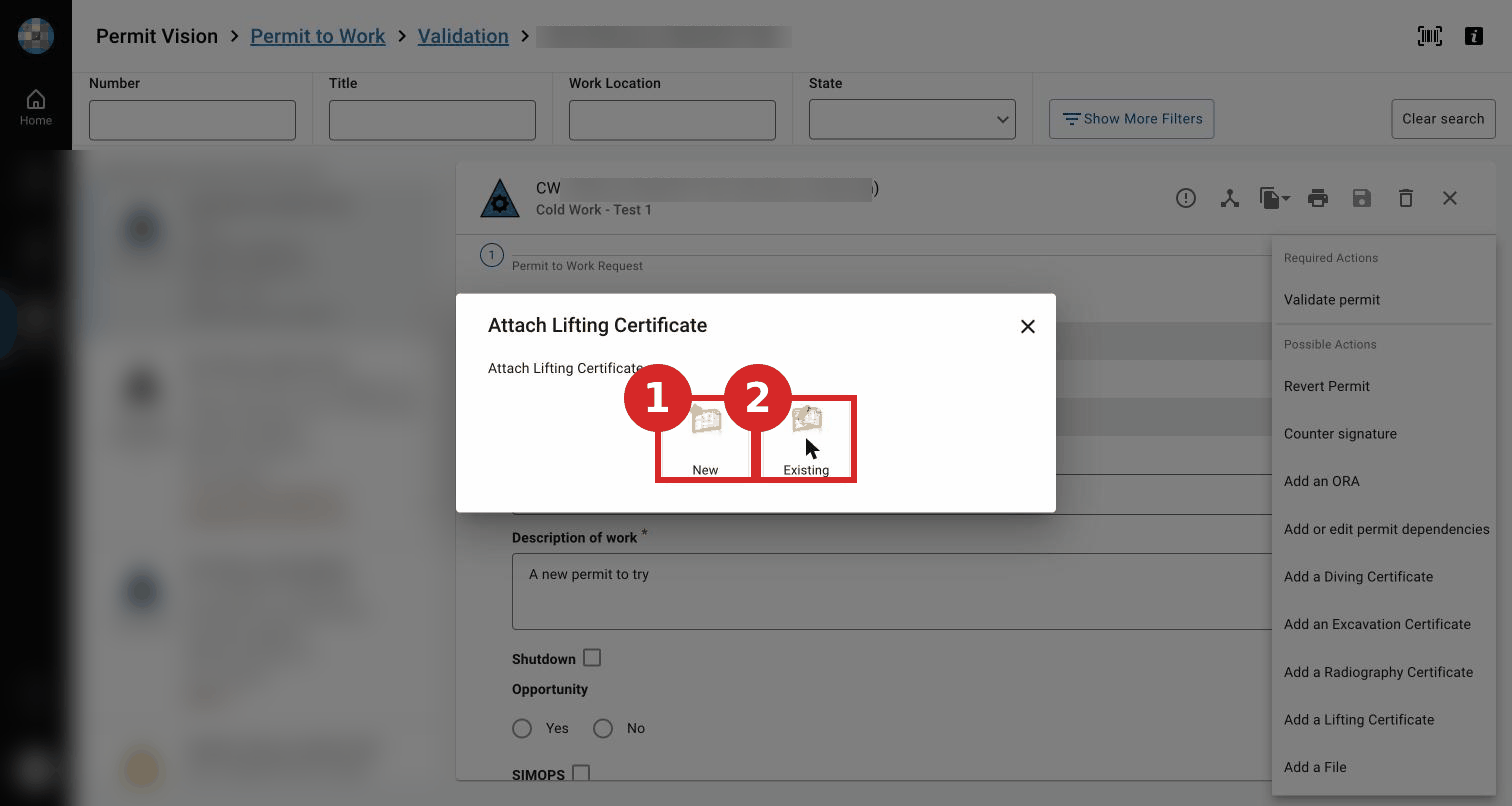
Expected result
The complementary certificate is linked to the permit; the permit status is unchanged.
Key Referentiel rules
- If required, the permit is accompanied by all the necessary certificates (confined space, isolation, excavation, etc.). (CR-GR-HSE-402, Req 3.1.7; Appendix 2)
- A certificate is not a permit and does not authorise work to begin. (CR-GR-HSE-402, Req 3.1.7)
Tips & pitfalls
Tip — match the certificate to the required-certificate list. A ticked requirement needs the matching attached certificate.
Pitfall — missing a required certificate. The permit cannot progress without it in the accepted state.
Common mistakes
| Mistake | Consequence |
|---|---|
| Required certificate not attached | Step blocked at validation/issue |
| Certificate not in the accepted state | Permit cannot progress |