Verify a Permit (Operating Authority & HSE)
Status:  Awaiting Verification →
  Awaiting Authorisation
Verify, as Operating Authority and HSE Authority, that the permit's hazards and controls are sound, so it can move to authorisation.
When to use
Use this task when a permit is in Awaiting Verification. Both the Operating Authority and the HSE Authority verify it in this state — each with their own signature.
Before you start — check before launching the task
- You hold the Operating Authority or the HSE Authority role.
- You can review the permit, its attachments and its risk assessment.
- You did not verify this permit in a role that conflicts with a later authorisation (separation of duties).
Step-by-step
- Open the Permit to Work list filtered on Verification and select a permit in Awaiting Verification. If the permit had SIMOPS, it was endorsed first in Awaiting Verification (SIMOPS) (see Endorse a SIMOPS Permit).
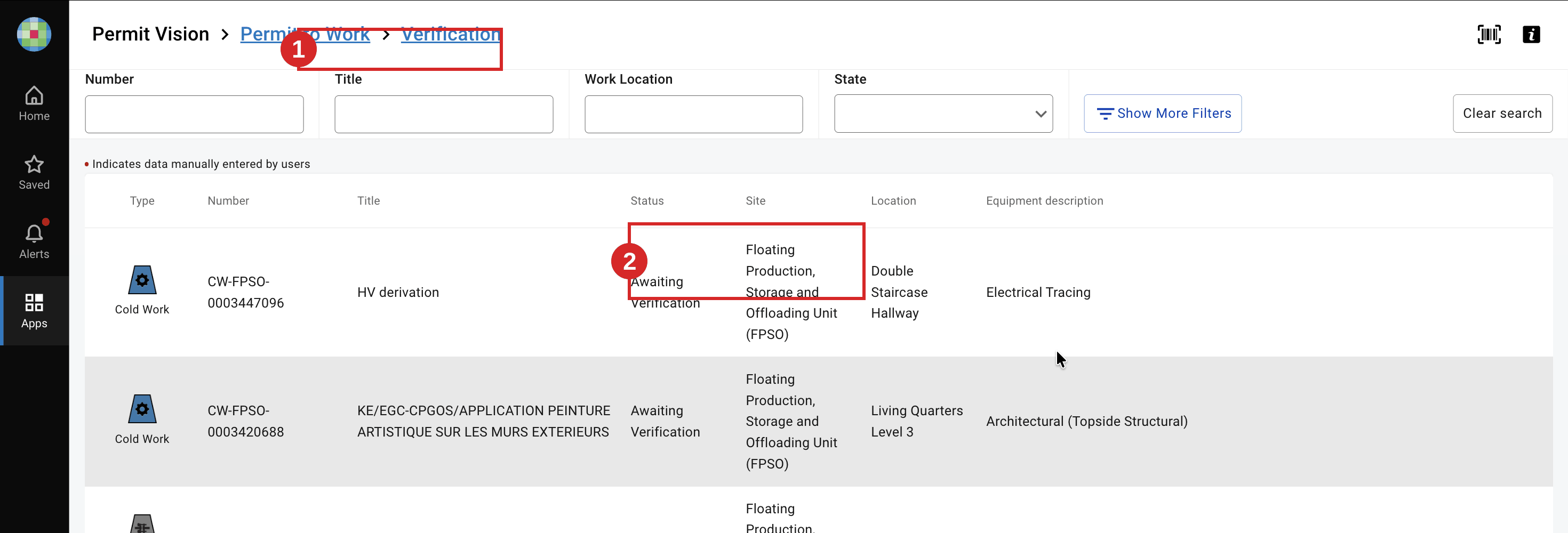
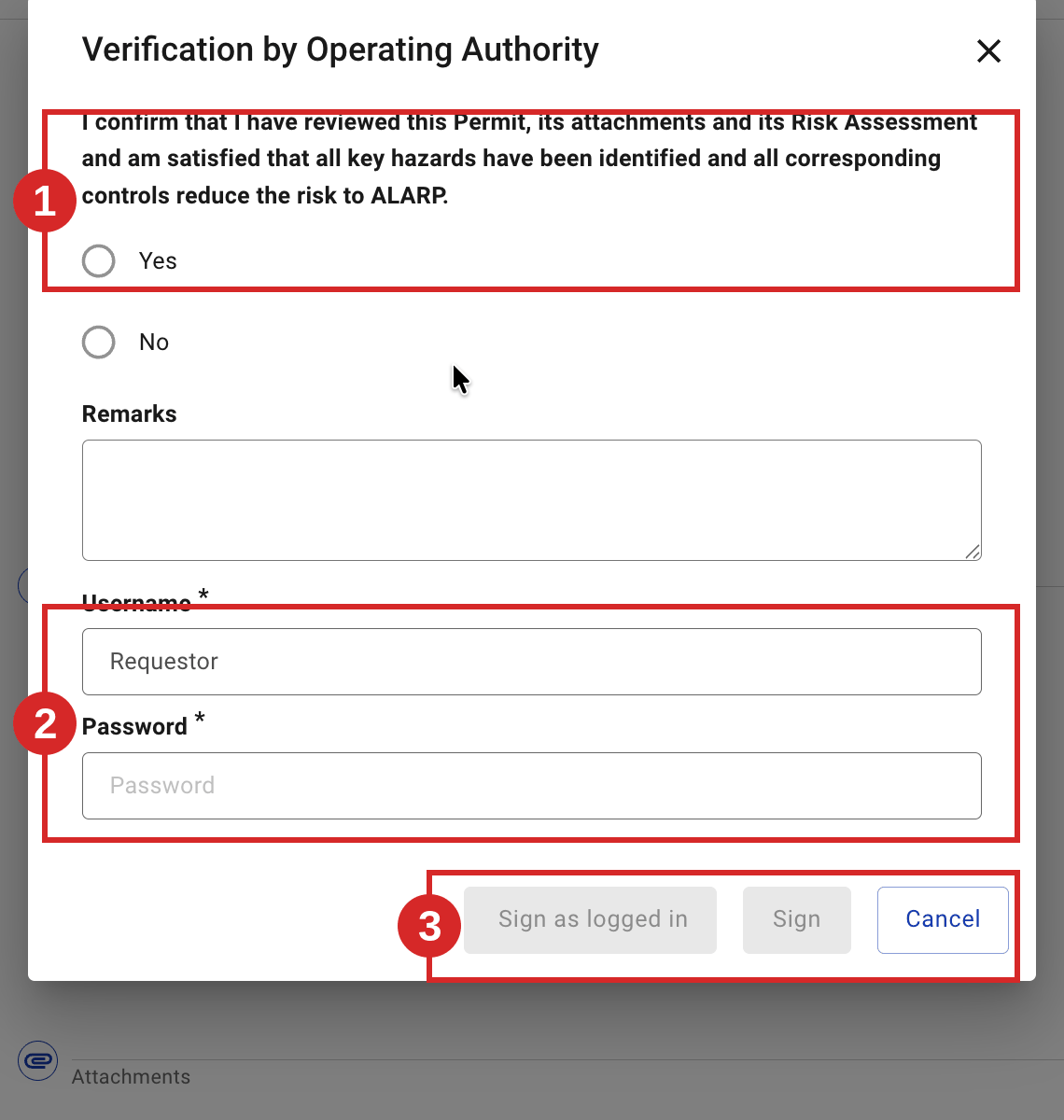
- As Operating Authority, review the permit, then sign Verification by Operating Authority and confirm the ALARP self-declaration. Where a certificate is attached (ICC, complementary), it is the Operating Authority — not the HSE — who must have signed it for the permit to move on. (Exact certificate states: see the ICC / complementary-certificate pages — TO BE CONFIRMED.)
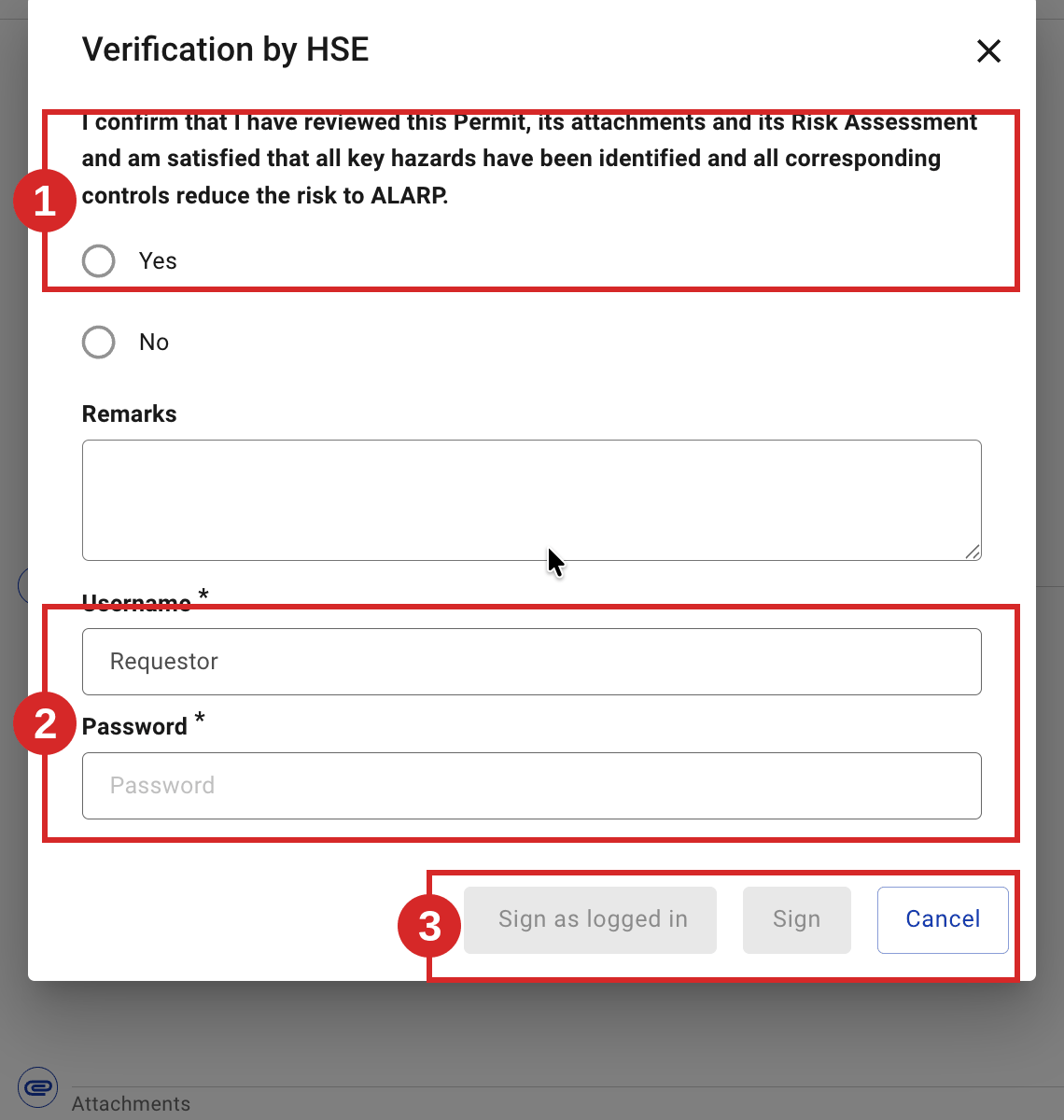
- As HSE Authority, review the permit, then sign Verification by HSE and confirm the ALARP self-declaration. The permit stays in Awaiting Verification until both the Operating Authority and the HSE have verified.
Expected result
The permit moves from Awaiting Verification to Awaiting Authorisation. 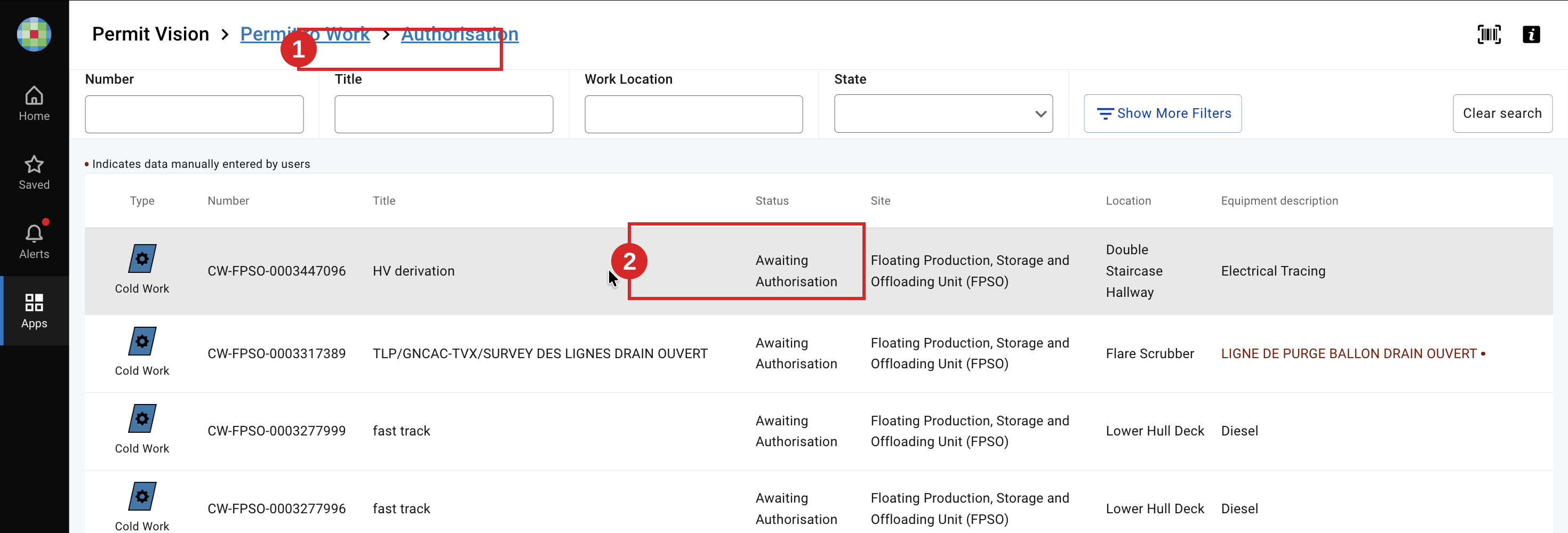 The next task is Authorise a Permit.
Key Referentiel rules
- Verification confirms the risk is reduced to ALARP — by signing, you confirm hazards are identified and controls are adequate. (E-Permit V9 self-declaration; CR-GR-HSE-402, Req 3.2.1)
- Preparation is a shared review between the approving authority, the requester and the performing authority. (CR-GR-HSE-402, Req 3.2)
- Separation of duties — verifying does not entitle the same person to authorise the same permit. (CR-GR-HSE-402, executive summary)
Tips & pitfalls
Tip — OA and HSE are independent checks. Each verifies on their own merits; don't assume the other has covered a gap.
Pitfall — verifying without checking attachments. The ALARP declaration covers the permit and its attachments and risk assessment.
Tip — who signs the attached certificates. On a permit with an attached ICC or complementary certificate, the Operating Authority is the one who must have signed it, not the HSE. Check this before you verify.
Common mistakes
| Mistake | Consequence |
|---|---|
| Only one of OA/HSE verifies | Permit stuck in Awaiting Verification |
| Verifying without reviewing the risk assessment | Hazards may pass unchecked to authorisation |