Revert a Permit to a Previous Step
Supporting action. Send a permit back a step for correction. Available at approval steps; a remark is always mandatory.
Send a permit back to a previous step so the requester (or a previous signatory) can correct it.
When to use
Use this task when, during validation, verification or authorisation, the permit needs correction rather than rejection — for example a missing control or an unclear description.
Before you start — check before launching the task
- You hold an approval role for the current step (PCA, OA, HSE or RSES).
- You can state clearly what must be corrected.
Step-by-step
- On the permit, open the Actions button (bottom right); Revert Permit appears under Possible Actions. Confirmed available at Awaiting Validation and Awaiting Authorisation (and offered at verification and issue).
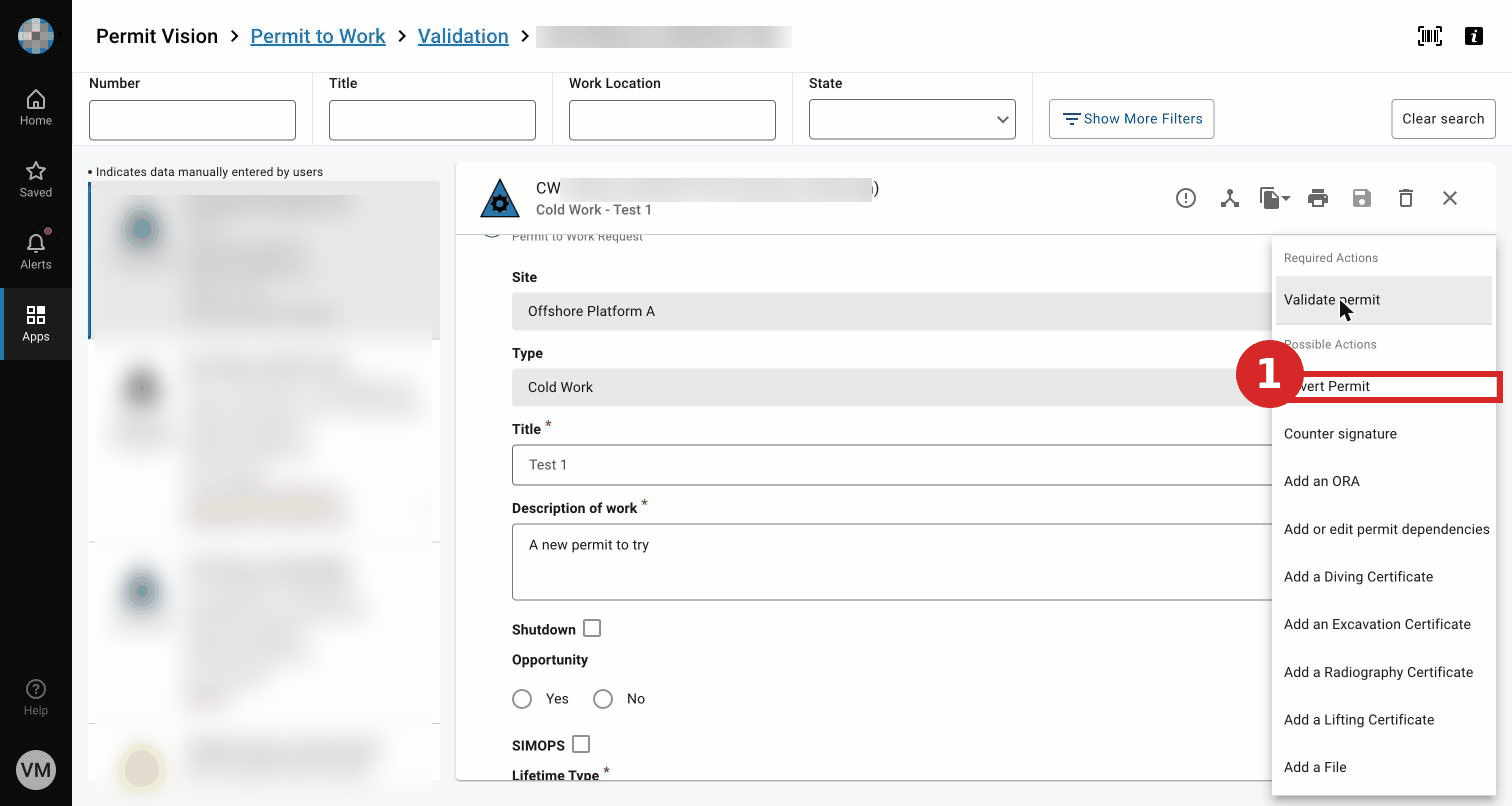
- Enter a mandatory remark explaining what must be corrected, and confirm. The permit returns to the previous step: from validation a revert returns it to Request; from later steps, to the appropriate previous step. (Exact target per step — TO BE CONFIRMED; not tested in UAT to avoid changing a live permit's state.) screenshot pending
Expected result
The permit returns to the previous step with the remark visible, so it can be corrected and re-submitted.
Key Referentiel rules
- The permit's preparation is a shared review; sending it back for correction keeps the risk assessment sound before approval. (CR-GR-HSE-402, Req 3.2)
- Roles are clearly assigned; only an authorised approver reverts at their step. (CR-GR-HSE-402, executive summary)
Tips & pitfalls
Tip — a clear remark saves a round trip. State exactly what to fix.
Pitfall — reverting instead of validating valid permits. Use revert only when correction is genuinely needed.
Common mistakes
| Mistake | Consequence |
|---|---|
| Reverting without a clear remark | Requester cannot know what to correct |
| Reverting a compliant permit | Unnecessary delay |